Your personal AI product analyst, available 24/7

Product analytics
reimagined with AI

AInamika β€” Master the Pulse of your Business

Understand user behavior, track errors intelligently, and get AI-powered insights. All you have to do is ask.

Available as secure cloud service or fully self-hosted enterprise deployment β€” your data, your choice.

100%
AI-Powered Analytics
99.9%
Uptime SLA
<3000ms
Avg Response Time
24/7
Real-time Insights

Everything you need to understand your users

Powerful analytics, intelligent error tracking, and AI-driven insights in one platform

πŸ“Š

AI-Powered Analytics

Ask questions in plain English. Get instant insights about user behavior, conversion rates, and trends without writing queries.

Learn more β†’
πŸ”₯

Intelligent Error Tracking

Automatically capture, categorize, and prioritize errors. Get AI-suggested fixes and instant JIRA ticket creation.

Learn more β†’
πŸš€

Funnel Analysis

Build conversion funnels visually. Identify drop-offs, understand user journeys, and optimize for growth.

Learn more β†’
⚑

Lightweight SDK

Drop-in integration via CDN or NPM. Auto-captures events with zero config. No performance impact.

Web SDK β†’ Android SDK β†’
🎯

Smart Event Naming

AI automatically generates meaningful event names from your DOM. No manual tagging required.

Learn more β†’
πŸ”—

JIRA Integration

One-click error to JIRA ticket. AI writes descriptions, suggests priority, and links related issues.

Learn more β†’
πŸ”’ ENTERPRISE READY

Your Data Never Leaves Your Servers

Deploy AInamika within your own infrastructure. Complete control, absolute privacy, zero compromises.

🏒

100% Self-Hosted Analytics

Your sensitive user data, error logs, and analytics never touch our servers. Deploy AInamika on your private cloud, on-premises servers, or air-gapped networks. You maintain complete sovereignty over your data.

πŸ›‘οΈ SOC 2 Ready πŸ” GDPR Compliant πŸ₯ HIPAA Compatible πŸ›οΈ ISO 27001 Ready
πŸ”’

Zero Data Exposure

All analytics data stays within your network boundaries. No external API calls, no cloud dependencies, no third-party access. Your data is yours alone.

βœ“ Runs entirely within your VPC
βœ“ No outbound data transfers
βœ“ Air-gap deployment supported
πŸš€

Deploy in Minutes

Simple Docker Compose setup gets you running in under 10 minutes. Pre-configured, production-ready, with automatic health checks and monitoring.

βœ“ Single docker-compose command
βœ“ Kubernetes helm charts available
βœ“ Auto-scaling & load balancing
🌐

Deploy Anywhere

Works on any infrastructure - AWS, Azure, GCP, on-premises, or hybrid cloud. Your choice of deployment, your control over resources.

βœ“ Multi-cloud compatible
βœ“ On-premises deployment
βœ“ Private cloud ready
πŸ”

Enterprise Security

Built with security-first architecture. Encrypted data at rest and in transit, role-based access control, and comprehensive audit logs.

βœ“ End-to-end encryption
βœ“ SSO/SAML integration
βœ“ Audit trail & compliance logs

How Enterprise Self-Hosting Works

1

Deploy Infrastructure

Run our Docker containers on your servers. ClickHouse for storage, APIs for ingestion and queries.

β†’
2

Secure Tunnel Connection

Encrypted tunnel connects your instance to our dashboard. Only queries pass through - data stays local.

β†’
3

Full Analytics Power

Use the AInamika dashboard normally. All data processing happens on your servers, not ours.

πŸ›‘οΈ
"With AInamika Enterprise, we get powerful AI analytics while keeping our customer data completely within our infrastructure. It's the perfect balance of innovation and security compliance."

Ready for Complete Data Control?

Deploy AInamika in your infrastructure today. Full features, zero data exposure.

Analytics that answers back

Just ask a question. Our AI analyzes your data and responds with charts, insights, and recommendations.

Request a Demo

See AInamika in action with a personalized walkthrough

Chat with your data

Stop writing complex queries. Just ask questions like "What were my top events last week?" or "Show me the conversion funnel for checkout" and get instant visual answers.

  • Natural language queries
  • Instant chart generation
  • AI-powered recommendations
  • Save and share insights
πŸ’¬

Error intelligence, not just tracking

Go beyond stack traces. Our AI analyzes errors in context, groups related issues, and suggests fixes based on patterns across your codebase.

  • Automatic error grouping
  • Impact scoring & priority
  • AI-suggested solutions
  • One-click JIRA tickets
πŸ”₯

Start free, scale as you grow

No credit card required. Upgrade when you're ready.

Starter
Free
For individuals getting started
  • 1K events/mo
  • 50 AI queries/mo
  • 100 errors/mo
  • 1 project
  • 2 team members/project
  • 7 days data retention
Get Started
Growth
β‚Ή13,220/month
For scaling businesses
  • 500K events/mo
  • 30K AI queries/mo
  • 100K errors/mo
  • Unlimited projects
  • Unlimited team members/project
  • 90 days data retention
Overage rates:
  • β‚Ή0.03/extra event
  • β‚Ή0.4/extra AI query
  • β‚Ή0.15/extra error
Overage billed every Monday
  • Advanced analytics
  • Jira integration
Start
Enterprise
β‚Ή19,999/month
For large organizations
  • 1M events/mo
  • 50K AI queries/mo
  • 200K errors/mo
  • Unlimited projects
  • Unlimited team members/project
Overage rates:
  • β‚Ή0.02/extra event
  • β‚Ή0.3/extra AI query
  • β‚Ή0.1/extra error
Overage billed every Monday
  • Advanced analytics
  • Jira integration
  • Self hosted pipeline
  • 150 days data retention
Learn More

Ready to understand your users?

Start tracking in minutes. No credit card required.

Get in Touch

We'd love to hear from you

πŸ‘€
Name Adarsh Singh
πŸ“§

How AInamika Compares

See why teams choose AInamika over traditional analytics tools

Feature AInamika Mixpanel Amplitude Sentry
AI-Powered Queries βœ“ βœ— βœ— βœ—
Natural Language Analytics βœ“ βœ— βœ— βœ—
Event Tracking βœ“ βœ“ βœ“ βœ—
Error Tracking βœ“ βœ— βœ— βœ“
Funnel Analysis βœ“ βœ“ βœ“ βœ—
AI-Suggested Fixes βœ“ βœ— βœ— ◐
Jira Integration βœ“ ◐ ◐ βœ“
Auto Event Naming (AI) βœ“ βœ— βœ— βœ—
Lightweight SDK βœ“ ◐ ◐ βœ“
Data Retention (Free) 7 days Unlimited* Limited 30 days
Starting Price Free $20/mo $49/mo $26/mo
πŸ“–

Dashboard Guide

Learn how to use AInamika's features

πŸ“Š

AIlytics

AI-powered analytics with natural language queries. Ask questions about your data and get instant insights with visualizations.

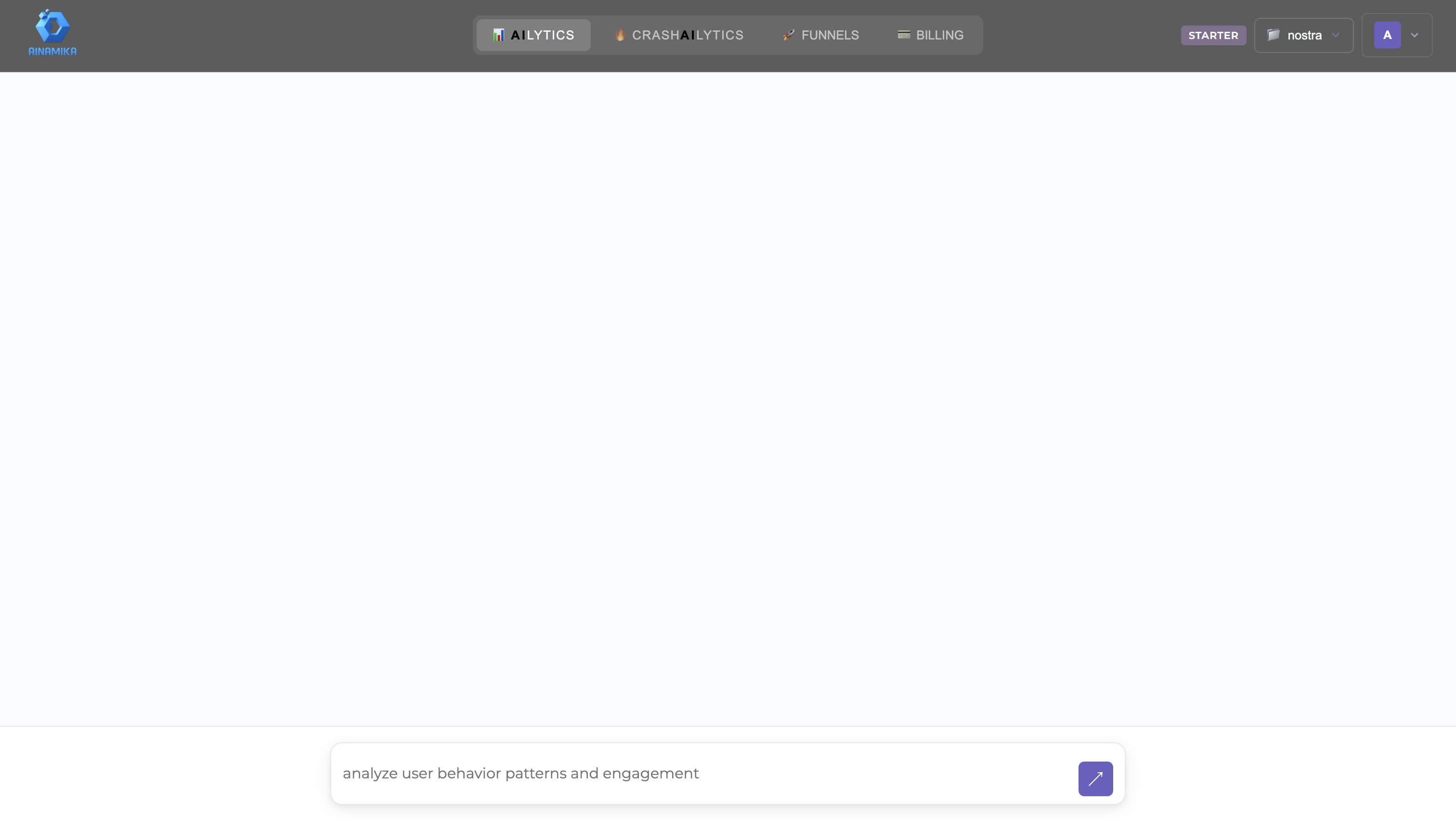
AI Chat Interface

Type your questions in plain English. Ask things like "What were my top events last week?" or "Show me user engagement trends".

AIlytics Input
Click to zoom
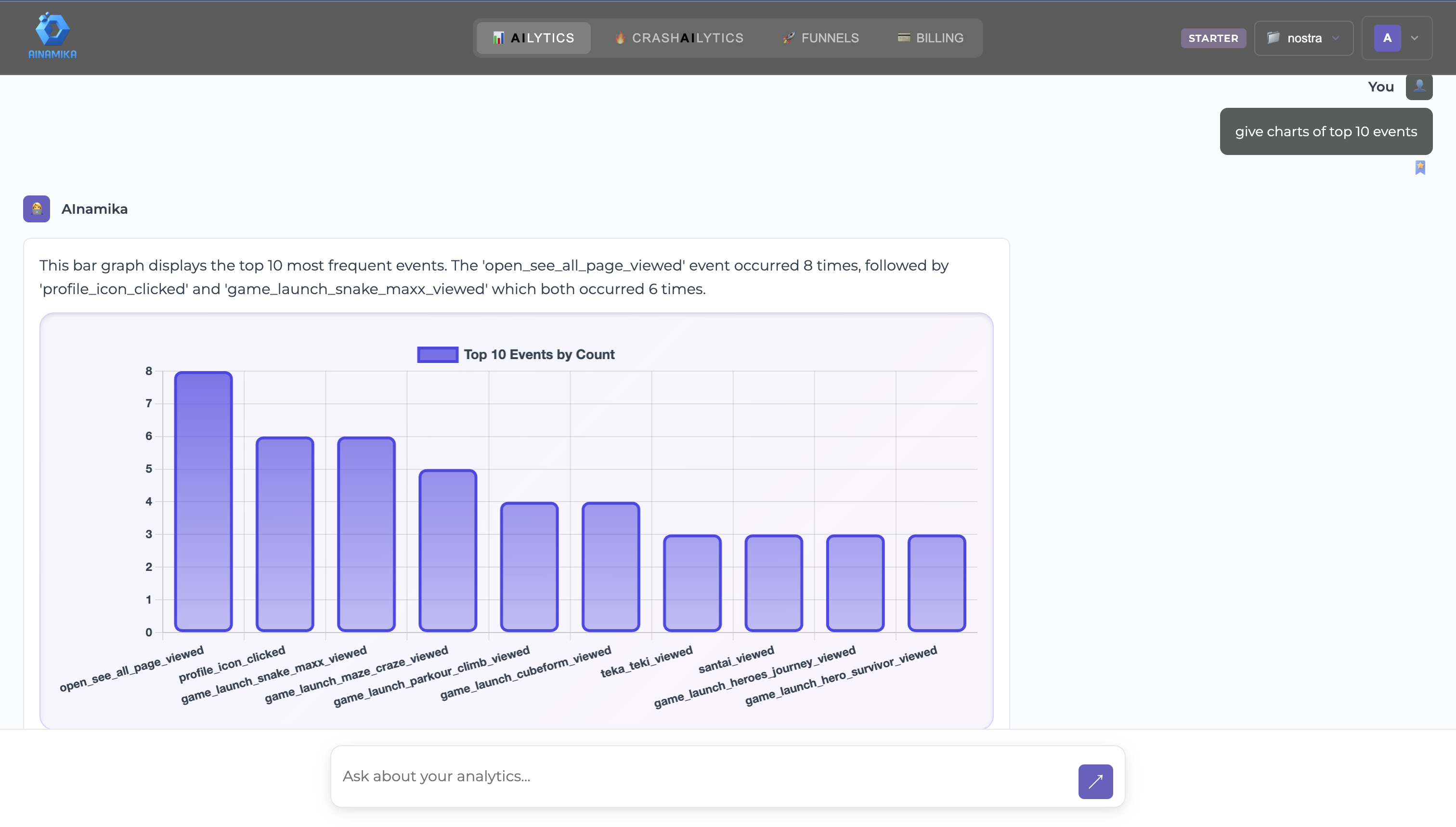
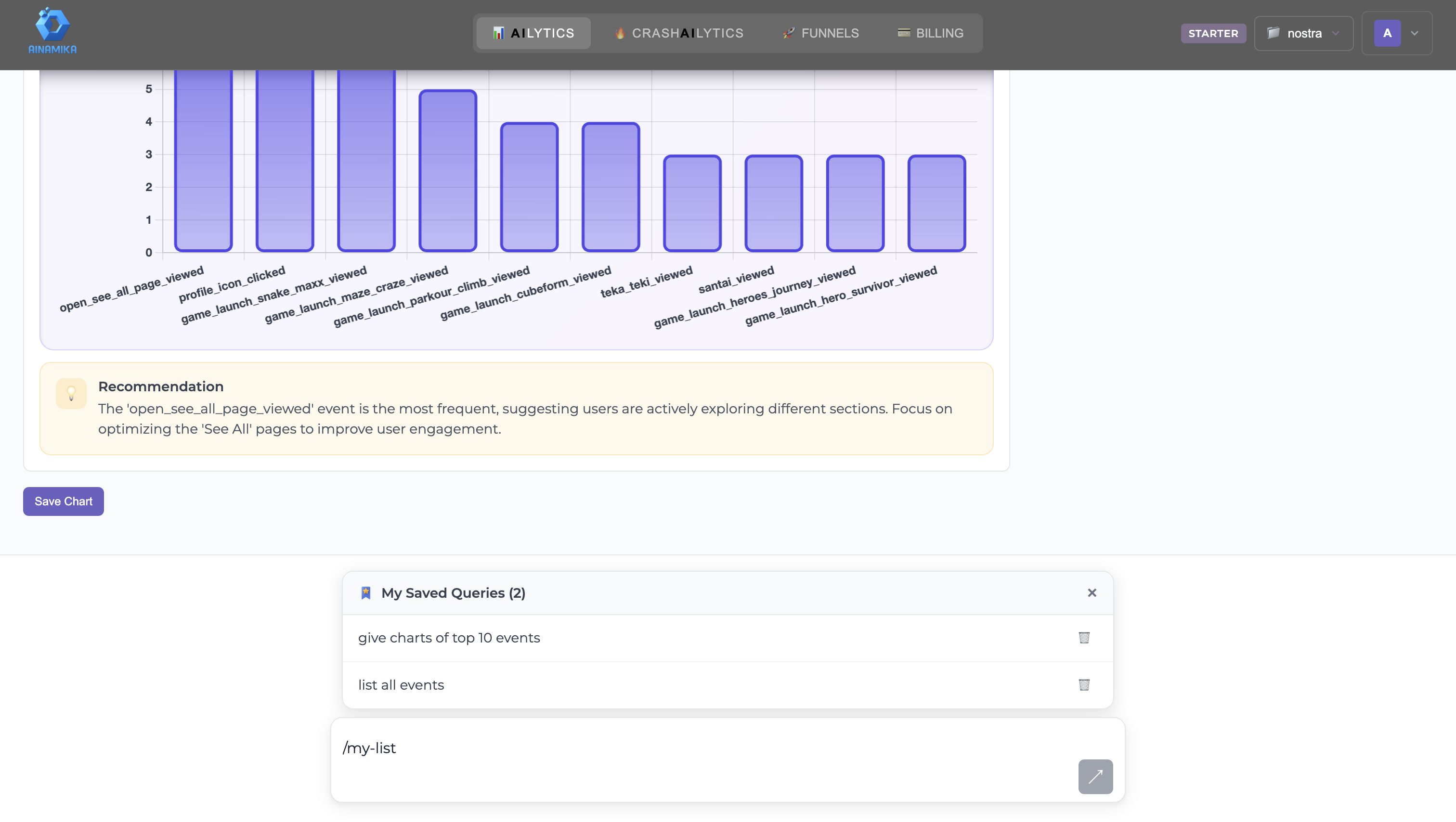
Interactive Charts

AI automatically generates the best visualization for your data. Hover over data points for details, and export charts as needed.

AIlytics Chart
Click to zoom
Saved Queries & Bookmarks

Save your frequently used queries for quick access. Build your personalized analytics dashboard with bookmarked insights.

Saved Queries
Click to zoom
πŸ”₯

CrashAIlytics

Intelligent error tracking with AI-powered analysis. Catch errors, understand their impact, and get suggested fixes.

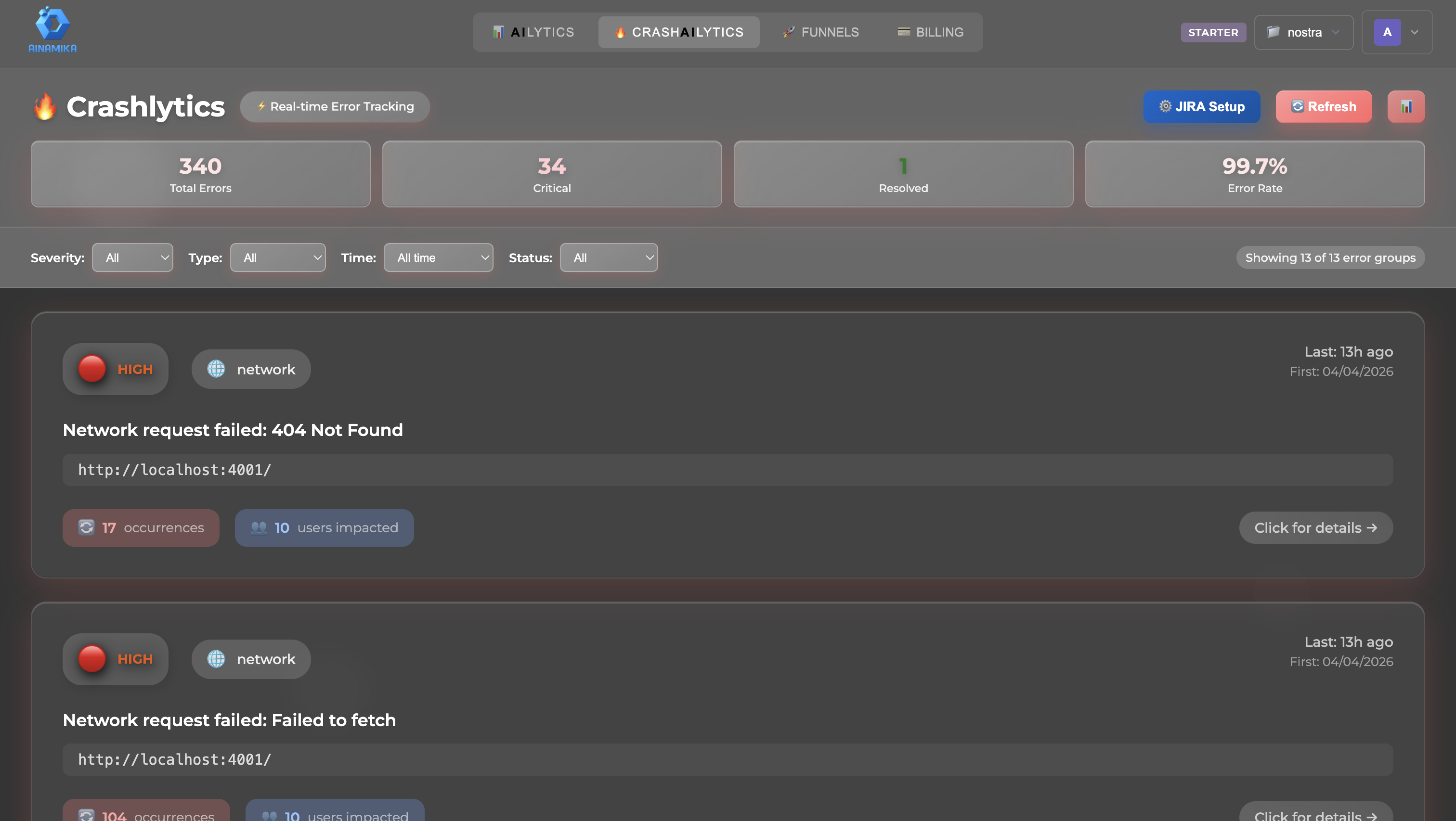
Error Overview

See all errors with severity levels, occurrence counts, and affected users. Filter by date range, error type, or resolution status.

Crashlytics Overview
Click to zoom
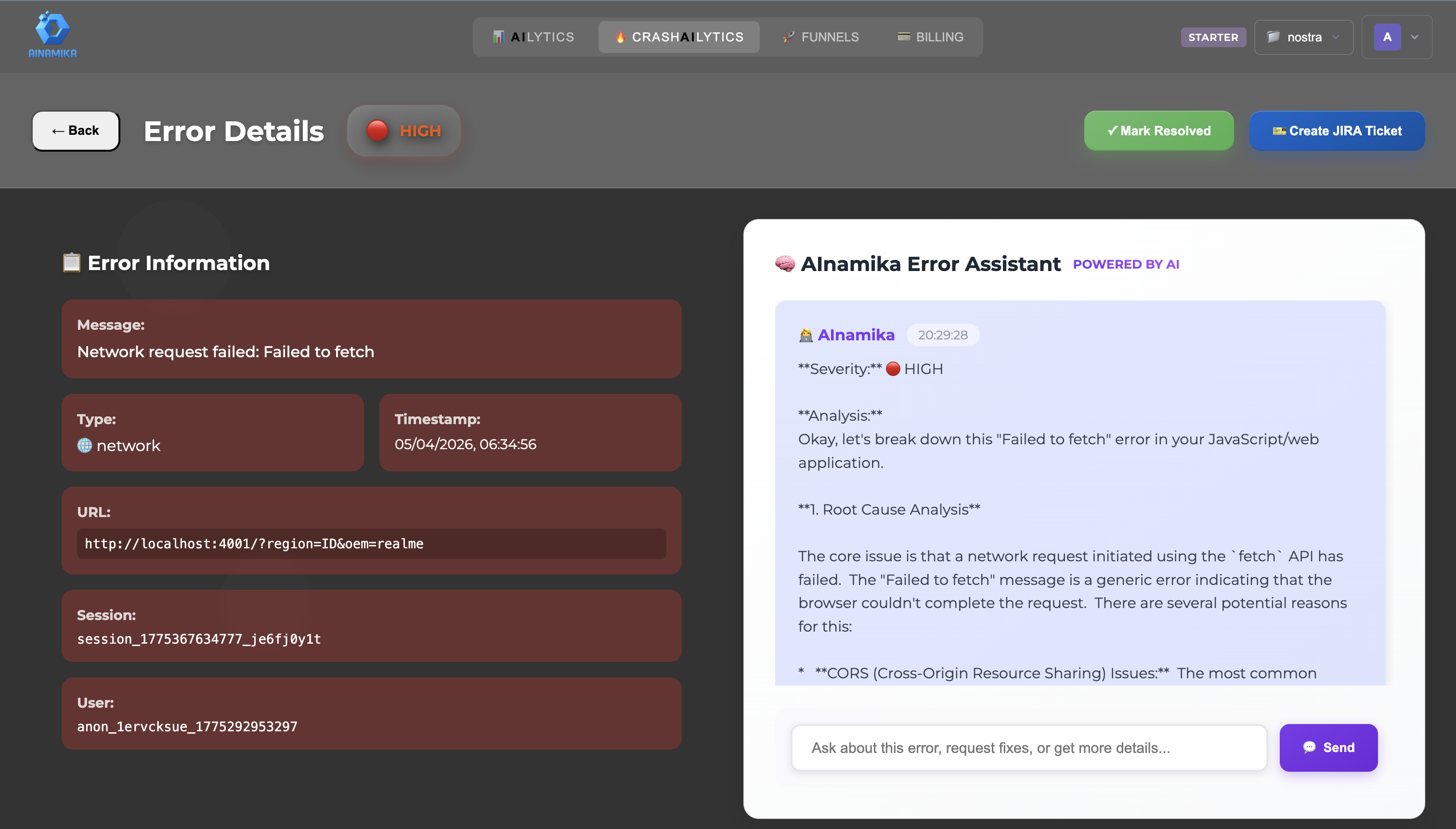
AI-Powered Analysis

Get AI-generated root cause analysis, suggested fixes, and similar error patterns. The AI assistant helps you understand and resolve issues faster.

AI Error Analysis
Click to zoom
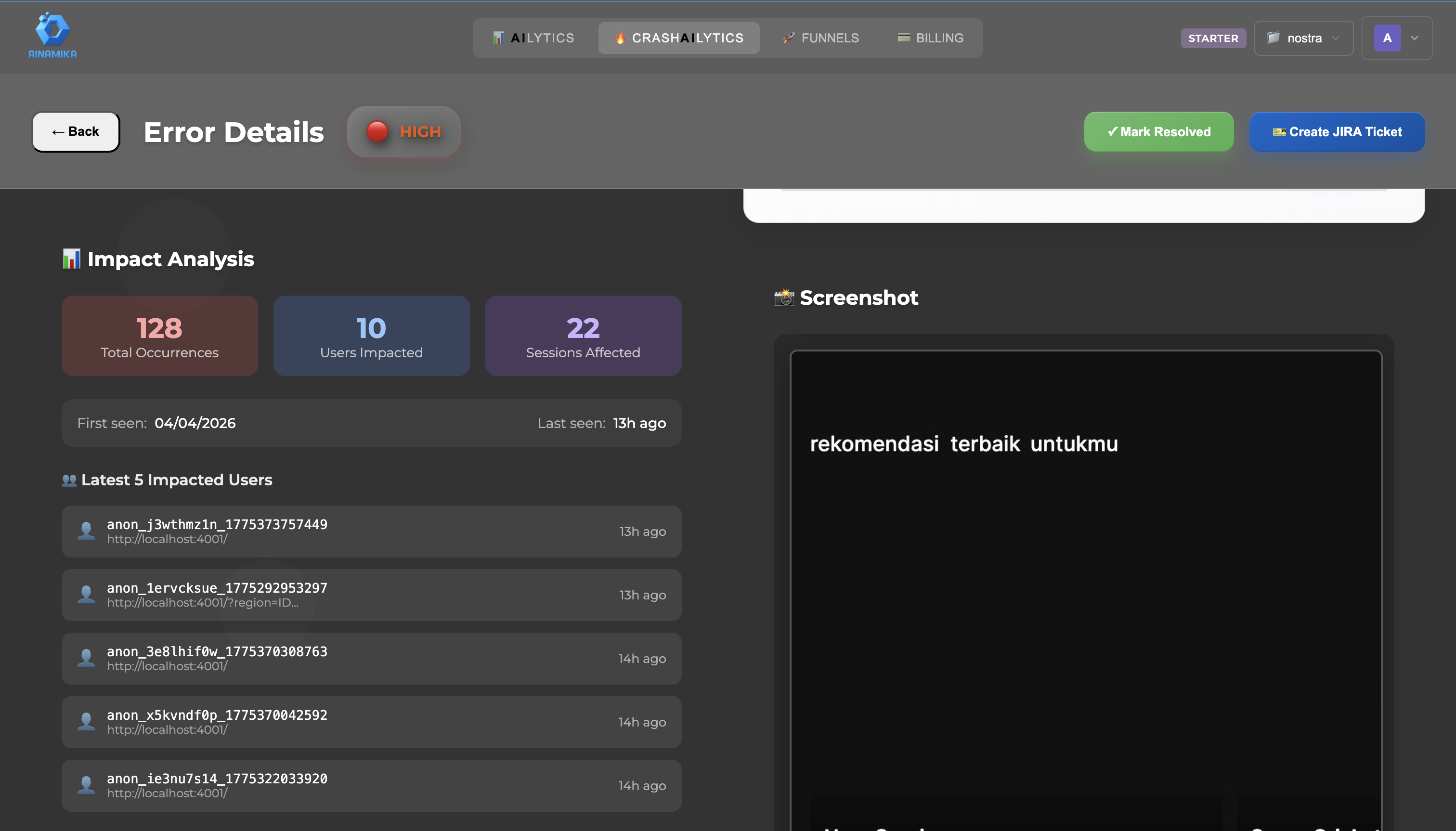
Impact Analysis

Understand how errors affect your users with detailed impact metrics, user journey analysis, and priority scoring.

Impact Analysis
Click to zoom
πŸš€

Funnels

Track and optimize your conversion funnels. Visualize user journeys, identify drop-offs, and improve conversions.

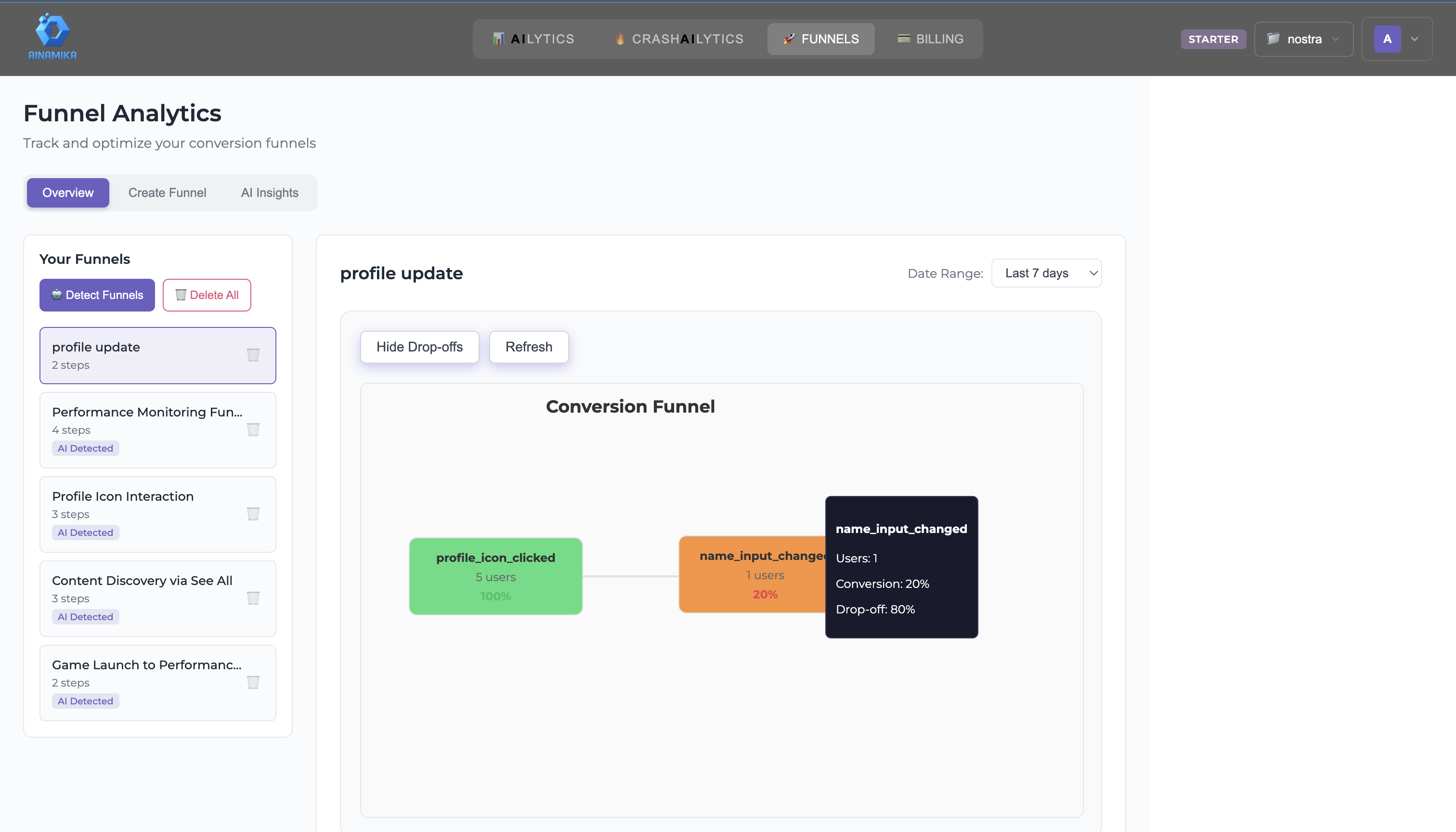
Funnel Overview

View all your funnels with key metrics including conversion rates, drop-off points, and performance trends over time.

Funnels Overview
Click to zoom
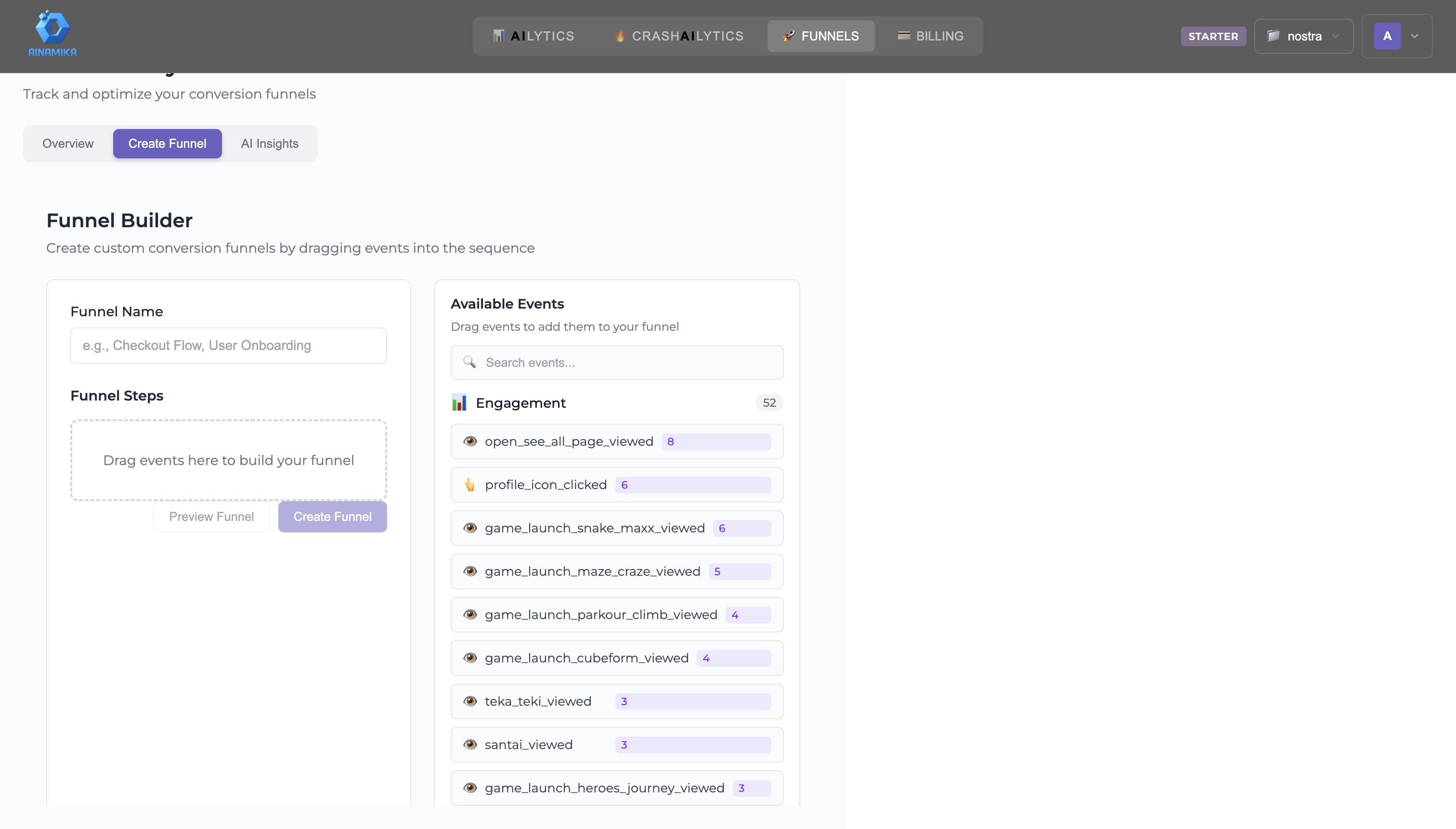
Funnel Builder

Create custom funnels by selecting events and defining steps. Drag and drop to reorder, and see conversion rates between each step instantly.

Funnel Builder
Click to zoom
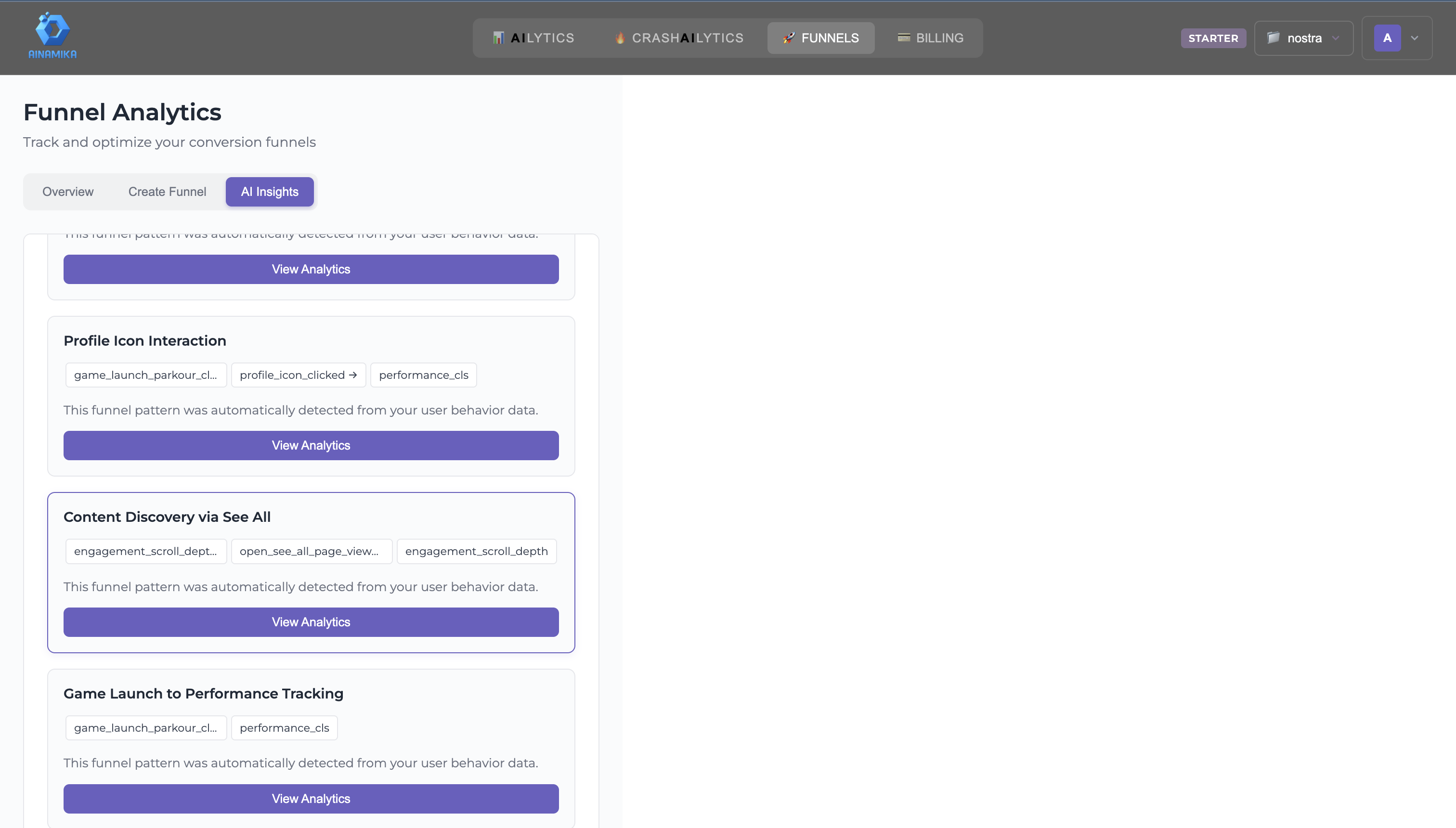
AI Insights

AI automatically detects funnel patterns in your data and suggests optimization opportunities based on user behavior analysis.

AI Funnel Insights
Click to zoom
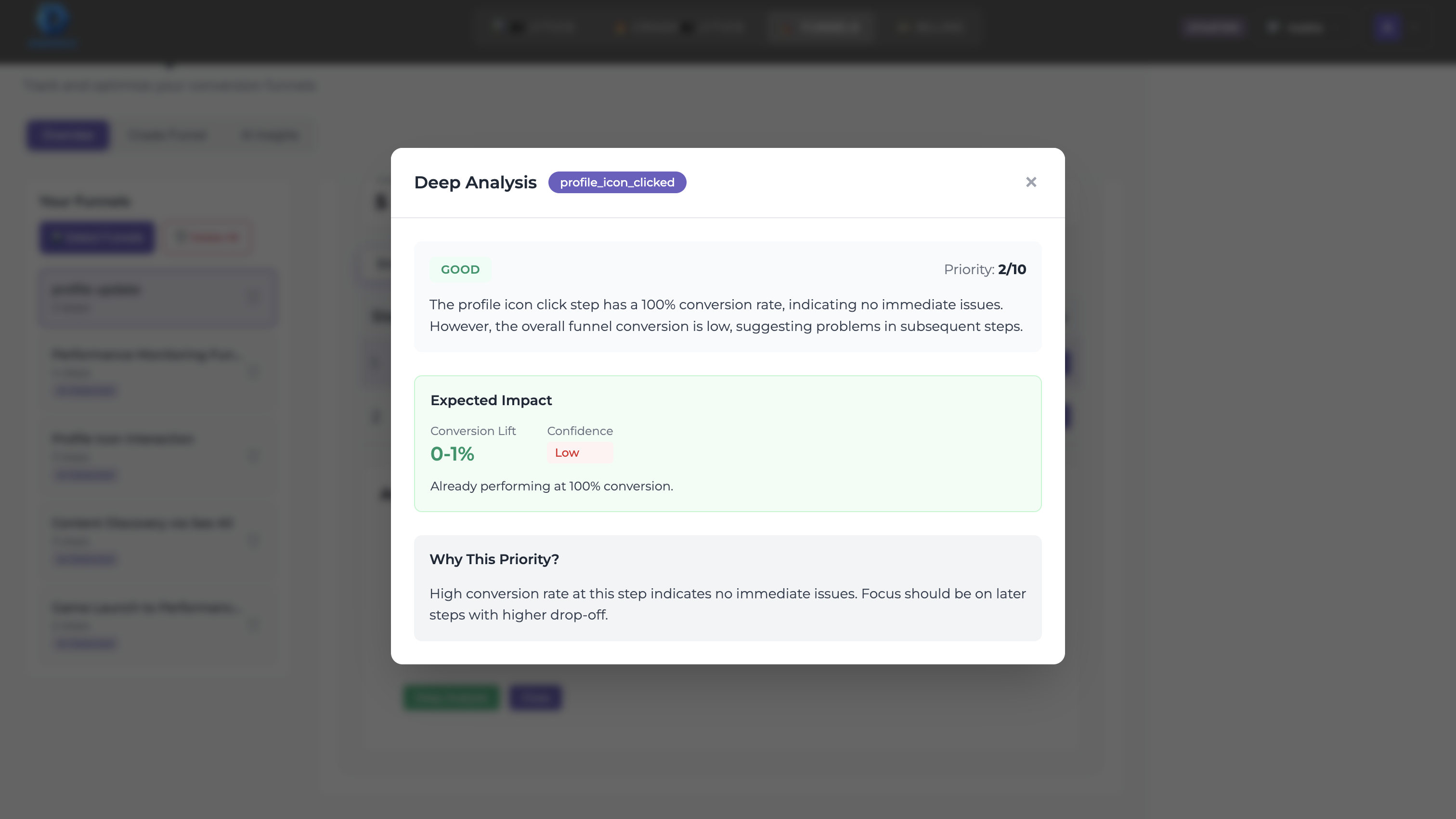
Deep Analysis

Drill down into funnel performance with segmentation, cohort analysis, and time-based comparisons to understand user behavior.

Deep Funnel Analysis
Click to zoom
πŸ‘₯

Team Management

Manage your team members and their access permissions. Invite colleagues and assign roles for collaborative analytics.

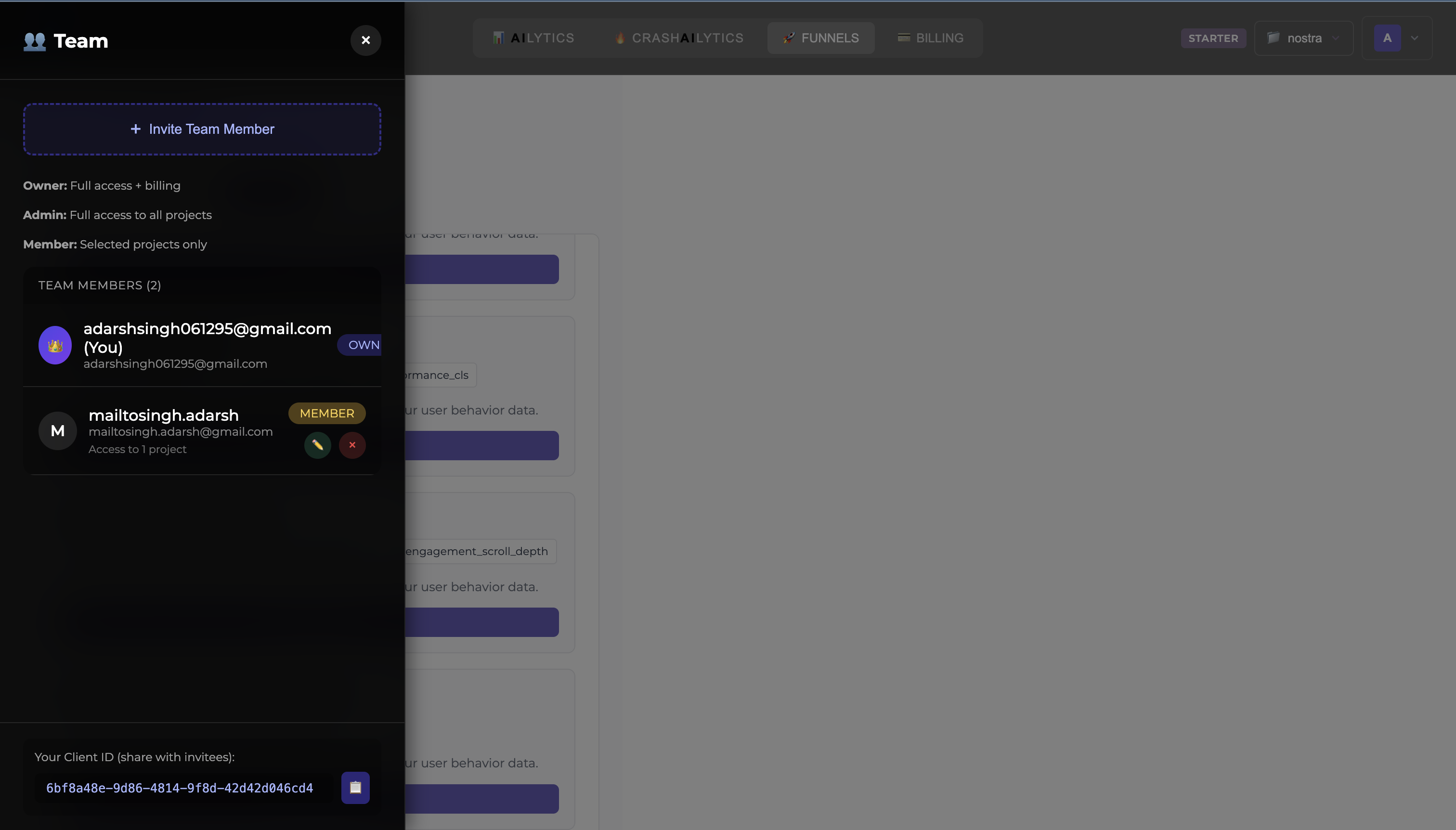
Team Members & Roles

Invite team members via email, assign roles (Owner, Admin, Member), and manage project-level access. Owners have full control, Admins can manage team, Members have view access.

Team Management
Click to zoom
βš™οΈ

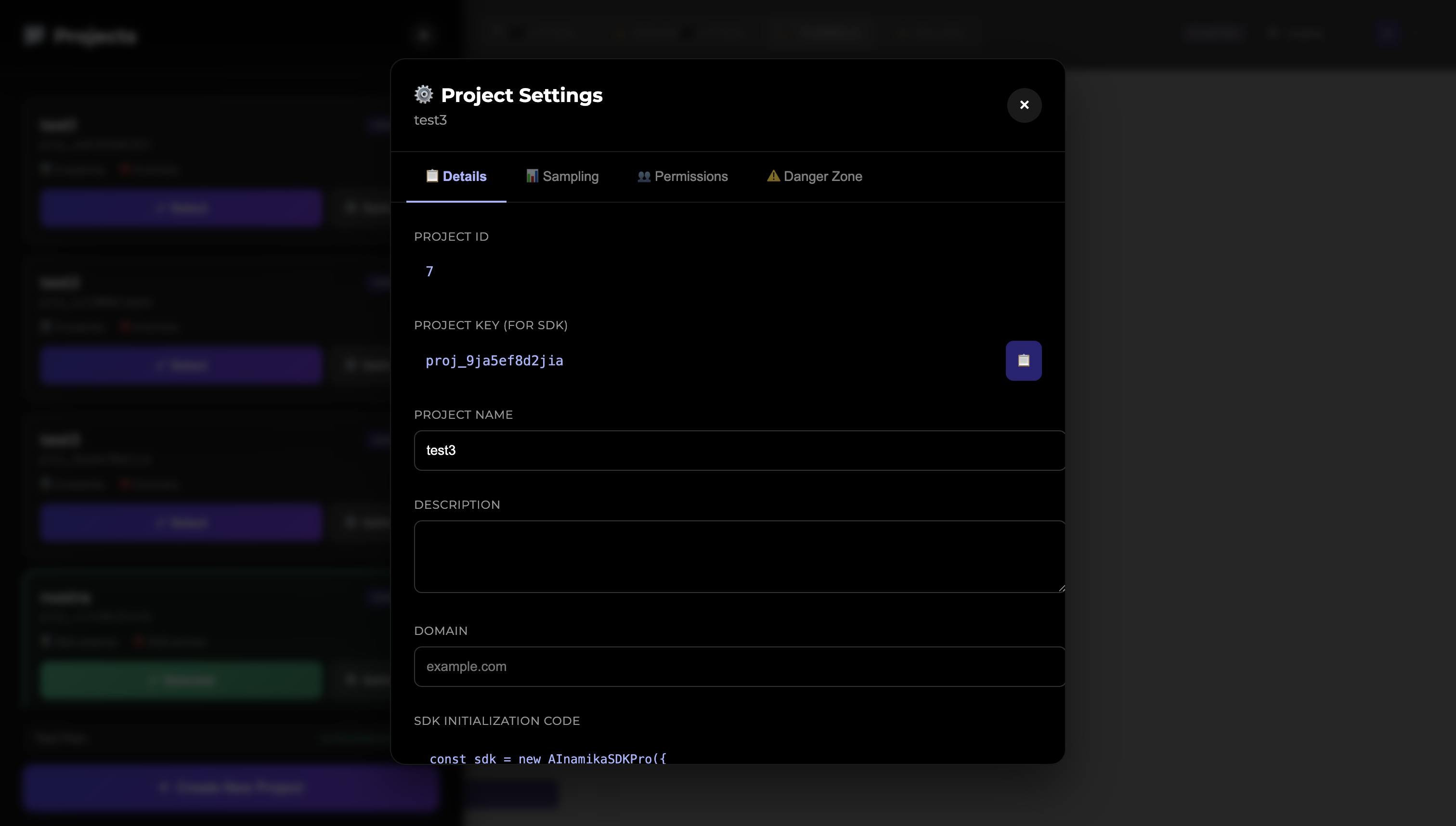
Project Settings

Configure your project settings, view SDK integration code, and manage data collection preferences.

Project Configuration

View your Project ID and API Key for SDK integration. Update project name, description, and domain. Copy the SDK initialization code to add to your application.

Project Settings
Click to zoom
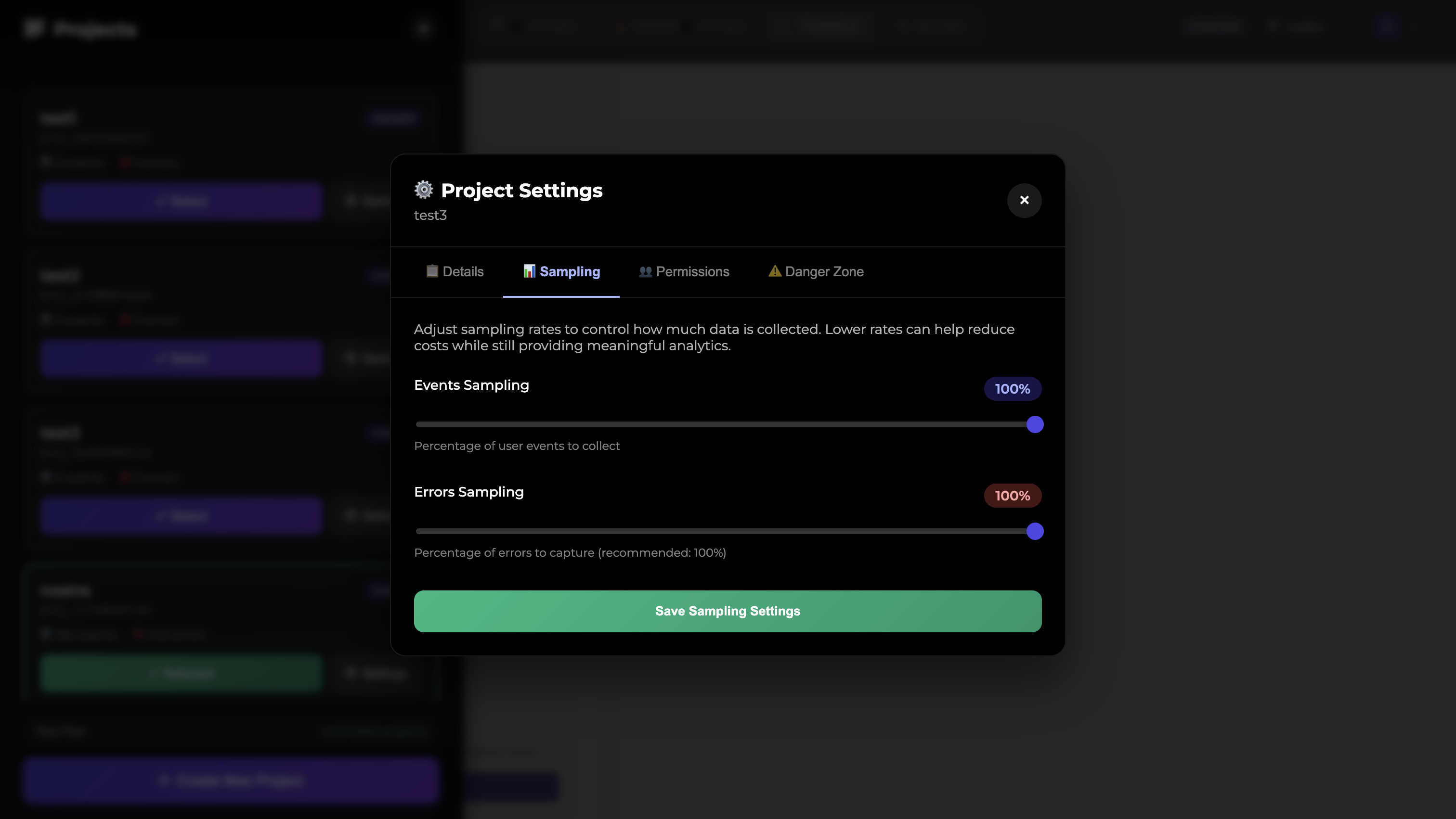
Sampling Settings

Control data collection rates to manage costs. Adjust event sampling (percentage of user events to collect) and error sampling (recommended: 100% to catch all errors).

Sampling Settings
Click to zoom
Zoomed image
🏒

Enterprise Deployment Guide

Deploy AInamika on your infrastructure

Quick Start: Deploy in 10 Minutes

Prerequisites

Ensure you have these installed on your server:

  • βœ“ Docker & Docker Compose
  • βœ“ 8GB RAM minimum (16GB recommended)
  • βœ“ 50GB disk space
  • βœ“ Ports 5000, 5001, 8123 available
Step 1: Get Your License

Sign up on AInamika dashboard and navigate to Profile β†’ Enterprise Deployment

Step 2: Deploy Services

Copy the docker-compose.yml and .env files from the deployment tab:

# Create deployment directory
mkdir ainamika-enterprise && cd ainamika-enterprise

# Create docker-compose.yml and .env files
# (Copy from dashboard)

# Start services
docker-compose up -d

# Check status
docker-compose ps
Step 3: Verify Connection

Your instance should appear as "connected" in the dashboard within 30 seconds

Security & Compliance

πŸ”’ Data Privacy Guarantee
  • β€’ All analytics data stored in your ClickHouse instance
  • β€’ No data replication to AInamika cloud
  • β€’ Encrypted tunnel for queries only
  • β€’ Can operate in air-gapped networks
  • β€’ Full audit trail of all operations

Production Deployment

Scaling & High Availability

For production workloads:

  • β€’ Use Kubernetes with our Helm charts
  • β€’ Deploy multiple replicas for HA
  • β€’ Use managed ClickHouse for data persistence
  • β€’ Set up monitoring with Prometheus/Grafana
Backup & Recovery

Protect your analytics data:

# Backup ClickHouse data
docker-compose exec clickhouse \
  clickhouse-backup create analytics_backup

# Schedule automated backups
# Add to crontab:
0 2 * * * /path/to/backup-script.sh

Need help with enterprise deployment?

Contact Support